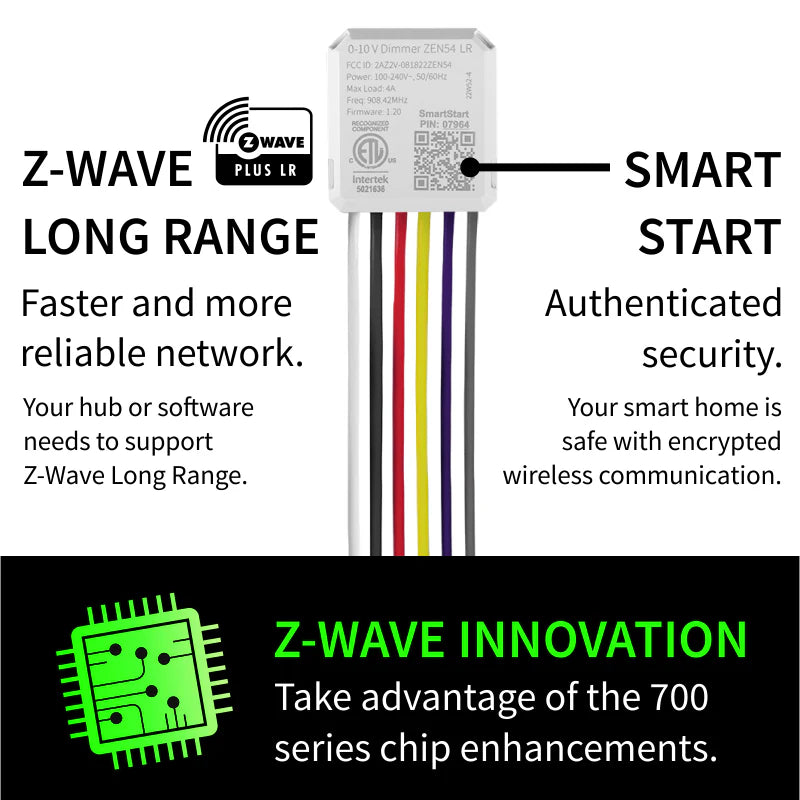


Zooz 700 Series Z-Wave Plus Long Range 0-10 V Dimmer ZEN54 LR
Zooz 700 Series Z-Wave Plus Long Range 0-10 V Dimmer ZEN54 LR
 Thank you for supporting a US-based small business!
Low stock
Couldn't load pickup availability
Free standard shipping on US orders over $150
Add $150 to your cart to unlock free standard shipping.
US orders only. Excludes oversized, freight, and bulk orders. Not combinable with other discounts. Expedited shipping not included. CircuitMess items do not count toward free shipping.
Description ▼
KEY FEATURES
-
Dimming Z-Wave control for 0-10 V LED drivers only (do NOT user with 120 V LED bulbs)
- Use with LED panels and fixtures with 0-10 V dimming drivers up to 150W
-
700 series Z-Wave chip: more range, reliable coverage
- Long Range: if your hub implements Z-Wave Long Range, you'll benefit from the latest direct device-to-hub communication which extends the range like never before and eliminates network lags
- Advanced settings to customize minimum or maximum brightness level and more*
- Built-in signal repeater: keep your mesh network stable and your system fast
- SmartStart and S2 authenticated security for a truly protected smart home
- Installs behind the existing wall switch or at the fixture (check your wiring first and always follow the diagrams in the manual)
-
Pigtail wires included for quicker set-up
SPECIFICATIONS
- Z-Wave Region: US, CA, MX
- Power: 120-240 VAC, 50/60 Hz
- Maximum Loads: 4 A, 480W at 120V, 960 W at 240V, 150 Watts LED
- Maximum A rating: 200 mA
- Z-Wave Range: Up to 300 feet line of sight or up to a mile with Long Range enabled)
- Dimensions: 1.5" tall, 1.4" wide, 0.7" deep
- Operating Temperature: 32-104° F (0-40° C)
- Installation: Indoor use only
WORKS WITH
- Z-Box Hub
- Ezlo Plus (no access to advanced parameters on Android app)
- Ezlo Secure (no access to advanced parameters on Android app)
- Home Assistant (Z-Wave JS)
- HomeSeer (with Z-Wave Plus plug-in)
- Homey (Zooz App for Homey)
- Hubitat (custom driver needed)
- Indigo (NOTE: no security, Indigo does not support S2 Z-Wave security)
- SmartThings (Edge driver needed)
- Vera
INSTALLATION
Before installing, make sure your fixture uses a 0-10 V dimming driver that doesn't exceed 150 Watts. Check your wiring first to confirm that you have all the following wires present in your electrical box: both 0-10 V driver connections, power, neutral, and load connection to power the LED driver, as well as a connection to a wall switch.
If you are not comfortable identifying the wiring and following the instructions, please hire a licensed electrician.

Here are some helpful wiring tips:
- Make sure the gang box you are about to install the switch has power with neutral wire available - you will not be able to get the ZEN54 Dimmer to work without a neutral wire.
- Unlike regular mechanical switches, Z-Wave switches require all of the wires to be connected exactly as indicated - line and load wires can never be swapped as it sometimes happens to the most experienced electricians.
How to include the 0-10 V Dimmer to your smart home network?
1. Put your Z-Wave controller in inclusion/pairing mode (or scan the QR code on the ZEN54 if your hub supports SmartStart)
2. Click the Z-Wave button on the relay 3 times quickly to finalize the inclusion process
3. A new dimmer switch should appear on your hub's device list
Recommended Accessories ▼
Bundle Deals▼
Let’s Connect! We’re a small business passionate about helping you achieve your goals of comfort, privacy, and security with Home Assistant, Single Board Computers, and more. Get in touch for a free consultation or just a fun chat about what’s possible—we’ll do our best to guide you in the right direction and get you the best deal! As a small team, we’ll strive to be available or get back to you as soon as possible.
SKU:E0884
View full details