


eMMC 5.1 Module XU3/XU4 Android (White Dot)
eMMC 5.1 Module XU3/XU4 Android (White Dot)
Note: Specific sizes may be temporarily out of stock for this particular OS, but we often have the same hardware available with a different OS pre-flashed. In such cases, simply place your order as a pre-order—we'll reflash the eMMC with your desired OS and ship it out as soon as possible (typically within 1-2 business days).
For reference, here are the total available quantities across all OS versions (counting all physical stock that can be reflashed):
| Size | Total Available |
|---|---|
| 8GB | 81 |
| 16GB | 37 |
| 32GB | 100 |
| 64GB | -12 |
| 128GB | 69 |
| 256GB | 81 |
In stock
Couldn't load pickup availability
Description ▼
Don't Forget Your eMMC Reader!
This eMMC comes preinstalled with an OS. However, if you wish to back up this eMMC to your computer or write a new OS image to it, you'll need a way to hook it up to another computer with one of the two following solutions:
- eMMC to USB adapter, or
- 64GB and smaller applications only: eMMC to microSD adapter and microSD reader/writer
KEY FEATURES
- Pre-installed Android 4.4 (or later) for ODROID-XU3/XU4
- Ready-to-run
- eMMC Version 5.1 interface from San-Disk
- JEDEC/MMCA Version 5.1: HS400 interface with 8bit DDR mode
Does not include USB to MicroSD reader - picture for illustration purposes only
COMPATIBILITY
- ODROID-XU3/XU3-Lite/XU4
- ameriDroid Learn (Writing eMMCs) - https://ameridroid.com/blogs/ameriblogs/tagged/emmc
- Instructions - http://magazine.odroid.com/assets/201408/pdf/ODROID-Magazine-201408.pdf
- Schematics - http://dn.odroid.com/eMMCModule/
Warranty is valid for two weeks, starting upon date of receipt.
Recommended Accessories ▼
Bundle Deals▼
Let’s Connect! We’re a small business passionate about helping you achieve your goals of comfort, privacy, and security with Home Assistant, Single Board Computers, and more. Get in touch for a free consultation or just a fun chat about what’s possible—we’ll do our best to guide you in the right direction and get you the best deal! As a small team, we’ll strive to be available or get back to you as soon as possible.
Share
SKU:B0047
View full details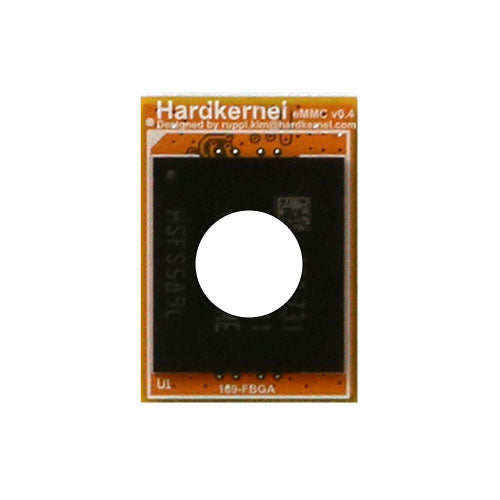

amerIDroid.com New Theme
We have received some feedback and released a new theme making our website simpler and better looking.
Trivia Time!
I have no general interest in what OS comes pre-installed on any eMMC module. Having a pre-installed OS will come in handy for someone just starting out. It's the eMMC module itself that will be very important to you later and the eMMC module you are paying for. You can format it and use it again many times.
I try to use an eMMC module for my OS on my C2 and XU4 SBCs. If I use an SD card at all, it's either to flash some particular OS from the SD card to the eMMC module, added storage. The only exception to this is when an image I want to run exceeds the highest capacity eMMC module available.
There are SD cards available with very fast advertised read / write speeds. Many can reach the claimed speeds in the right USB 3.1 adapter.
Buying the fastest SD card available will be limited to the speed of the SBC's card slot. With any SBC that can use eMMC or SD, the read / write speeds will always be faster with an eMMC module. eMMC has a big performance advantage over SD cards and they will last a lot longer than an SD card. I think many people have a hard time justifying the initial cost. The 128GB model costs considerably more than the XU4 SBC itself. Buy one and compare for yourself. Once you realize the benefits of an eMMC module, you will realize its money well spent.
They really are worth every penny.