

Zooz 700 Series Z-Wave Plus Long Range DC Motor Controller ZEN53 LR
Zooz 700 Series Z-Wave Plus Long Range DC Motor Controller ZEN53 LR
 Thank you for supporting a US-based small business!
In stock
Couldn't load pickup availability
Free standard shipping on US orders over $150
Add $150 to your cart to unlock free standard shipping.
US orders only. Excludes oversized, freight, and bulk orders. Not combinable with other discounts. Expedited shipping not included.
Description ▼
KEY FEATURES
-
Control DC motors and make your blinds, shades, and awnings smart
- Create schedules for morning and evening routines
- Automate your shades and awnings based on data from smart sensors, including brightness levels, temperature, and motion
- Choose from shutter or venetian mode for your motorized blinds
- Installs behind the existing wall switch or at the motor (6-32 VDC power only, momentary button switch required)
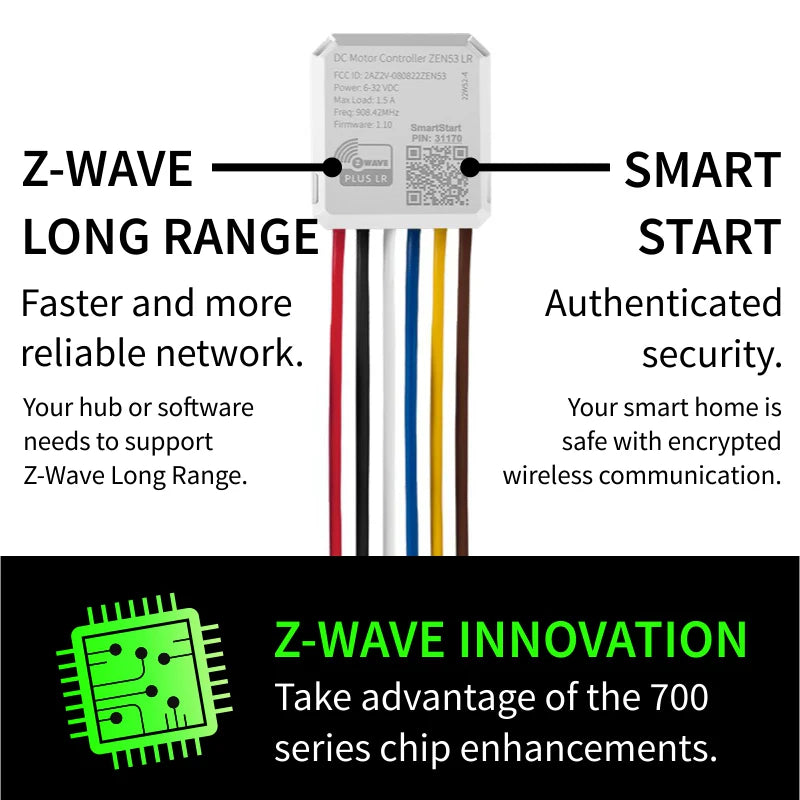
- 700 series Z-Wave chip: stronger mesh network and faster communication
- SmartStart and S2 authenticated security for a truly protected smart home
-
Long Range: if your hub supports Z-Wave Long Range, you'll get incredible direct hub-to-device signal coverage
- Pigtail wires included for hassle-free set-up
-
Built-in signal repeater: helps keep your network quick and reliable
SPECIFICATIONS
- Z-Wave Frequency: 908.42 MHz (US)
- Power: 6-32 VDC
- Maximum Loads: 1.5 A (use with DC motors only)
- Z-Wave Range: Up to 300 feet line of sight (or up to a mile with Long Range enabled)
- Dimensions: 1.5" tall, 1.4" wide, 0.7" deep
- Operating Temperature: 32-104° F (0-40° C)
- Installation: Indoor use only
WORKS WITH
- Z-Box Hub
- Home Assistant (Z-Wave JS)
- HomeSeer (with Z-Wave Plus plug-in)
- Homey (Zooz App for Homey)
- Hubitat (custom driver required)
- SmartThings (Edge driver required)
INSTALLATION
Before installing, make sure the motor runs on DC power (6-32 V DC) and it does not exceed 1.5 A. Follow the wiring diagram carefully to ensure correct installation. Use with button momentary switches only, do NOT connect to dimmers or electronic switches.
If you are not comfortable identifying the wiring and following the instructions, please hire a licensed electrician.

How to include the DC Motor Controller to your smart home network?
1. Bring your Z-Wave gateway hub or controller as close to the switch as possible
2. Put your Z-Wave controller in inclusion/pairing mode
3. Click the Z-Wave button on the relay 3 times quickly to finalize the inclusion process
4. A new on/off switch should appear on your controller's device list
Recommended Accessories ▼
Bundle Deals▼
Let’s Connect! We’re a small business passionate about helping you achieve your goals of comfort, privacy, and security with Home Assistant, Single Board Computers, and more. Get in touch for a free consultation or just a fun chat about what’s possible—we’ll do our best to guide you in the right direction and get you the best deal! As a small team, we’ll strive to be available or get back to you as soon as possible.
SKU:E0973
View full details